


GA4 and AI: Real-Time Insights for Real Results
Discover how the integration of Google Analytics 4 (GA4) and AI can transform real-time content optimization, conversion...



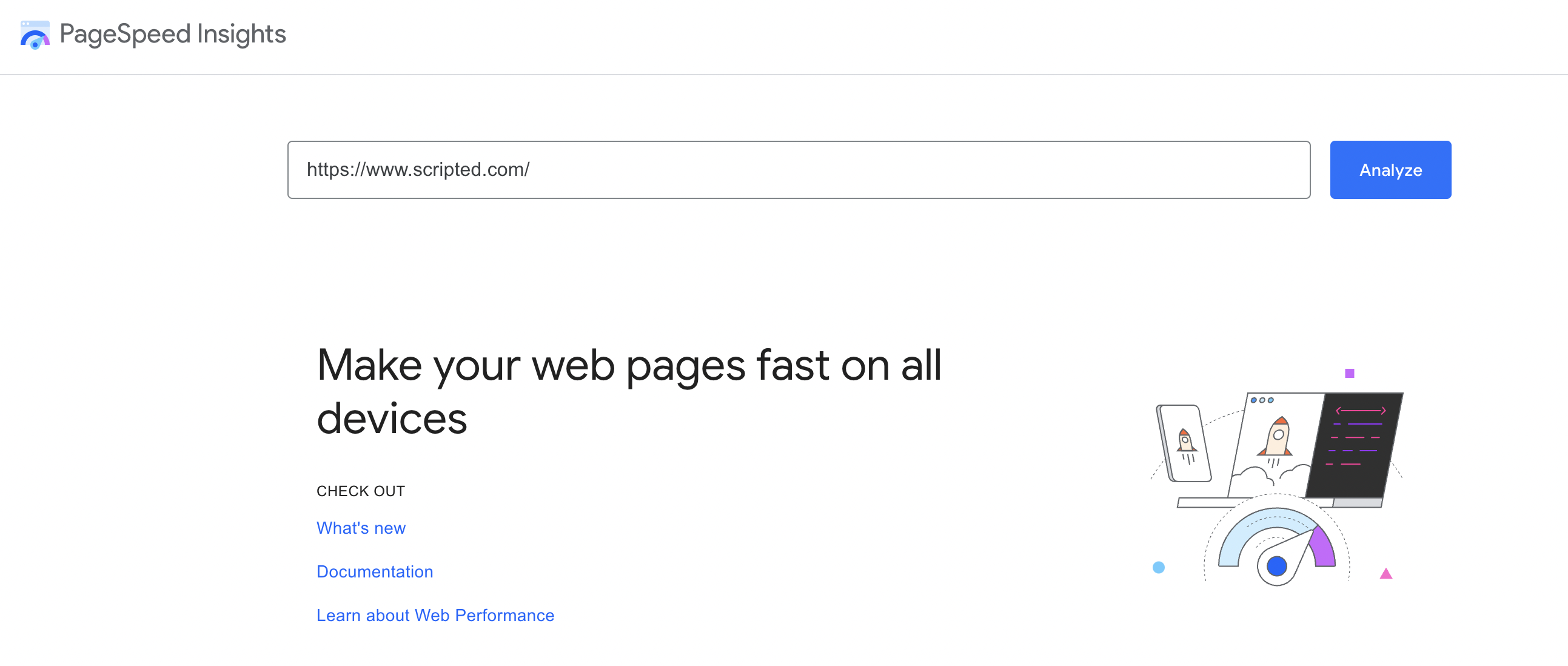
PageSpeed Insights is a tool offered by Google, intended to help developers speed up their web pages for users on every device. If you're not familiar with the many ranking factors that can determine your site's position in search engine results pages (SERPs), page speed is a top priority in Google's eyes.
After all, the purpose of Google's complex ranking algorithms is to provide searchers with the best and most relevant content on the web. So, even if your content is highly relevant, it won't earn the top spot if the user experience simply isn't up-to-par. In other words, if Google detects that your page speed is slow, your rankings will take a dip. PageSpeed Insights will help you monitor and improve your page speed, to ensure that this metric does nothing but help your website gain visitors.
PageSpeed Insights allows you to analyze your website through the eyes of Google, showing you a PageSpeed score and PageSpeed suggestions to help improve that score. If PageSpeed Insights says your site is slow, it's important to address that, because this is a metric Google takes into account when determining where your website should rank next to your competitors. Of course, PageSpeed Insights is not the only PageSpeed tool Google offers.
Many developers use PageSpeed Insights to analyze their website and then, if needed, they use PageSpeed Modules to take care of the optimization for them. Simply run PageSpeed Modules on your site and it will automatically rewrite and optimize your scripts so that PageSpeed is no longer bogging your brand down in rankings. There are also plugins and other methods you can use to speed up your website if PageSpeed Insights detects issues.
For many website owners, especially those not experienced with the tools necessary to improve PageSpeed, a poor PageSpeed score may be easily dismissed in favor of fixing bigger issues, but content marketing expert Neil Patel warns otherwise. "Google says page speed does matter. That connection is backed up and supported by Google’s new PageSpeed industry benchmarks. They found that as page load times go up, the chance of someone bouncing from your site increases dramatically."
This information tells you why Google cares about PageSpeed (and why you should care about PageSpeed), while also giving you some targets to shoot for. Bounce rates are something both Google and website owners despise, as it means a user has gone through the trouble of clicking on a link, only to click back because it's either loading too slow or, at-a-glance, doesn't offer the information they were looking for.
Your website's bounce rate is bad news all around -- not only does it represent a "lost" visitor, but the higher your bounce rate, the worse Google will rank you. So, improving your PageSpeed is a smart move for you, your users, and your rankings as a whole.
Ultimately, if you want your website to rank highly in the SERPs (i.e., the search engine results pages), you need to recognize that there are dozens of factors that can directly impact where your site falls. One of those often underestimated factors is page speed. In fact, SEO guru Backlinko once conducted a survey that found no correlation between page speed and ranking, backing up the misbelief that page speed isn't important. Of course, you have to look at the bigger picture.
Content marketing expert, Neil Patel, pointed out that Google released an entire update about page speed, denoting its importance, and highlighted the research Google shared on how bounce rates go up substantially as page load time increases. It's all within Google’s new PageSpeed industry benchmarks. Neil went on to summarize that "BigCommerce found conversion rates for e-commerce websites average somewhere in the one to two percent range [and] Portent found page speed can increase conversion rates drastically."
So, whether you believe page speed directly impacts your rankings, it most certainly does so indirectly. And, since the average load time of a website ranking on the first page of Google is just 1.65 seconds, it's extremely important that you work to reduce your average load time so that you can compete.
The tool is very simple to use, just put in the URL of your website (or any of your competitors' sites, if you want to see how you stack up) and the tool will check your website's load time from random servers in various locations, giving the most accurate average of how long your site actually takes to load. This is different from any test you try to run manually because your website is likely to load faster for you since it's cached in your browser.
Once the tool analyzes your website, which generally only takes a few seconds, you'll get a results page that shows you a rating, with 0-49 being bad, 50-89 being average, and 90-100 being ideal. If you have a new website that gets little traffic, you might see a message like: "The Chrome User Experience Report does not have sufficient real-world speed data for this page." That's because Google factors in real users' data when giving your site a score and a lack of traffic means that data simply isn't available.
"Opportunities" and "Diagnostics" will help you identify potential areas for improvement along with big issues that should be addressed sooner rather than later. The difficulty here is knowing what you're looking at — that's easy for a web developer, but not so easy for a website owner who is unfamiliar with HTML or web design best practices, in general.
If you put your URL into PageSpeed Insights only to find that your website scores poorly, it's worth walking through the best practices for improving page speed — simple things that Google's suggestions often overlook. Here's the list, with advice to help anyone take action on them.
If you've tried these best practices and you're still running into issues with your site's PageSpeed score, it's best to reach out to an experienced web developer and ensure that your side is minimal, clean, and well-constructed. It's a common problem for free themes and "drag-and-drop" webpage builders to end up over-using elements and failing to follow best practices, so make sure your code is in order before you start looking into other big changes (like switching hosts).
PageSpeed Insights is a must-use free tool for anyone trying to get their website ranking better. Given that it's a tool provided by Google, you know that you can trust the information to be accurate and reliable, but it also means that a bad score is definitely something to worry about. The trouble is, a lot of website owners simply don't know where to start — smushing images, caching pages, and implementing AMP are some good next steps if you find that your PageSpeed score could use improvement. In general, you should opt for a three-second page load speed or less.
As you go forward looking at your PageSpeed score, it's also important to remember that PageSpeed is far from the only, or even the most important, ranking factor that could be holding your website back. While it's a bad idea to ignore a poor PageSpeed score, it's an even worse idea to continuously overlook the elephant in the room: Your content. If you're worried about rankings, chances are, your content could use a boost.
Whether you're simply not able to plan and produce content consistently enough to keep up with your ideal posting schedule or you find yourself lacking when it comes to a keyword strategy, Scripted can help. With Fully Managed, we'll put your brand into the hands of a qualified content strategist who will work with Scripted's professional writers to ensure that your content is exceeding readers' expectations and checking all the boxes that search engines care about.
Interested in learning more about Fully Managed and how it can help your brand? Explore the features today!