Canva Tool Review | Scripted
If a picture paints a thousand words, then an excellent graphics design editing tool is something modern marketers can’t do without. And recently, one app has been making waves in this field — Canva.
So what, exactly, is Canva? Is this an app that should have its place in your tool kit? Hang around as we unravel the nitty-gritty details of this tool — its pros and cons, key features, plans and pricing, and other comparable alternatives that may be a better fit for you.
What is Canva?
Canva is an online graphics tool that beginners and seasoned designers use to create visually enticing images and videos sans the hefty fees associated with professional designs. The interface makes it easy for you to create graphic designs for a wide range of platforms like social media, marketing collaterals, presentations, and print products.
And with its thousands of templates and easy-to-use interface, you can work some magic even if you know close to nothing about graphic designs. This online graphic design platform was founded in 2012. Currently, over 30 million users in more than 190 countries are active on this platform.
Canva Pros
- Its intuitive interface makes it easy to use even for beginners.
- Thousands of templates, stock images, icons, and fonts so you can easily craft something stunning and unique.
- Allows you to create graphics for a wide range of platforms.
- Follows a freemium business model so you can enjoy its basic features for free.
- You can easily collaborate with other people on your team.
Canva Cons
- Professional designers find its features limited.
- You have to be online to use it.
- You have to pay to unlock advanced features.
Canva Key Features
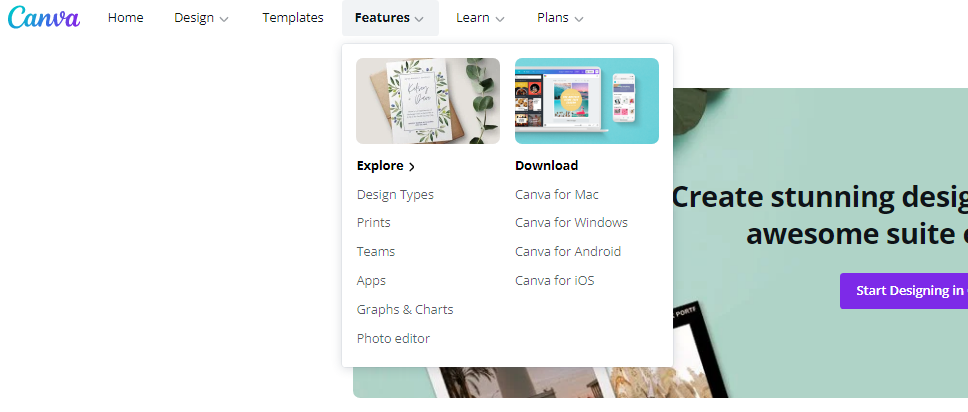
Canva is a versatile tool that you can open in your browser or run as an app on your mobile phone. It has a treasure trove of functionalities making it the rave of digital marketers. Here are some of its prominent features:
Wide Range of Graphics for Different Platforms
Whether it’s infographics, Instagram posts, Facebook header, Youtube thumbnail, business cards, flyers, reports, etc. — whatever your graphics and video needs are, you can easily craft it in Canva. Once you’re logged in to your account, you’ll be welcomed with many options according to how you’re going to use the graphics.
Once you click on what type of graphics you want to create, it’s a smooth flow from there. You can use their preset sizes and templates or you can create from scratch.
Photo and Video Editor
Canva’s photo and video editor is pretty straightforward and easy to navigate as well. First, you choose what type of video you’re going to edit. And then once you’re in the editor, you can upload the video, choose a template, and modify it by adding audio, images, texts, emoticons, and other elements.
In addition, Canva integrates well with other apps like Facebook and YouTube so you can connect your account and add videos from those sites seamlessly.
Drag-and-Drop Interface
Whether you’re working on a video or images, Canva’s drag-and-drop interface makes it so easy to navigate that even beginners can easily have a good handle of the platform in no time.
The moment you choose what type of graphics you’re working on, the tool will provide a preset size. You can then opt to start with a template or start from scratch. You can drag-and-drop elements to customize the design.
Free and Premium Stock Images, Fonts, and Icons
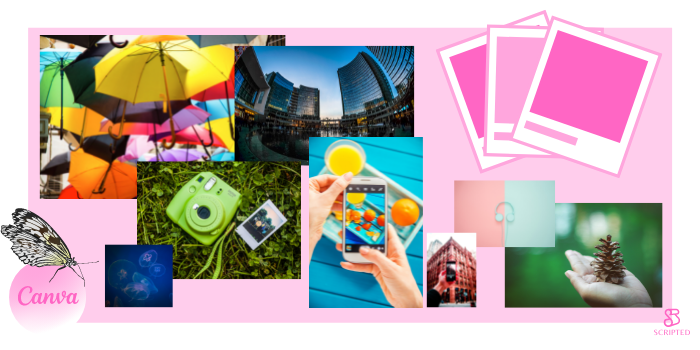
Canva has a repository of stock images, fonts, and icons allowing you to finish a task in a few minutes.
Collaboration Tools
You can share your work or invite other people to your team so that you can easily brainstorm ideas by leaving comments and collaborate remotely. Canva allows you to work with up to five people in real-time.
Set-and-Forget Brand Design
For a more consistent brand design, Canva’s Brand Kit comes in handy. You can set your chosen font, color, and logo and this becomes a preset design in the editor. This is a huge time-saver and very nifty when building your business brand.
Free Courses and Tutorials
Canva also offers free courses, which cover topics like social media mastery, personal brand building, graphics design basics, and how to give a stellar presentation. Their short tutorials are limited though, focusing solely on graphics design using Canva.
Plans and Pricing
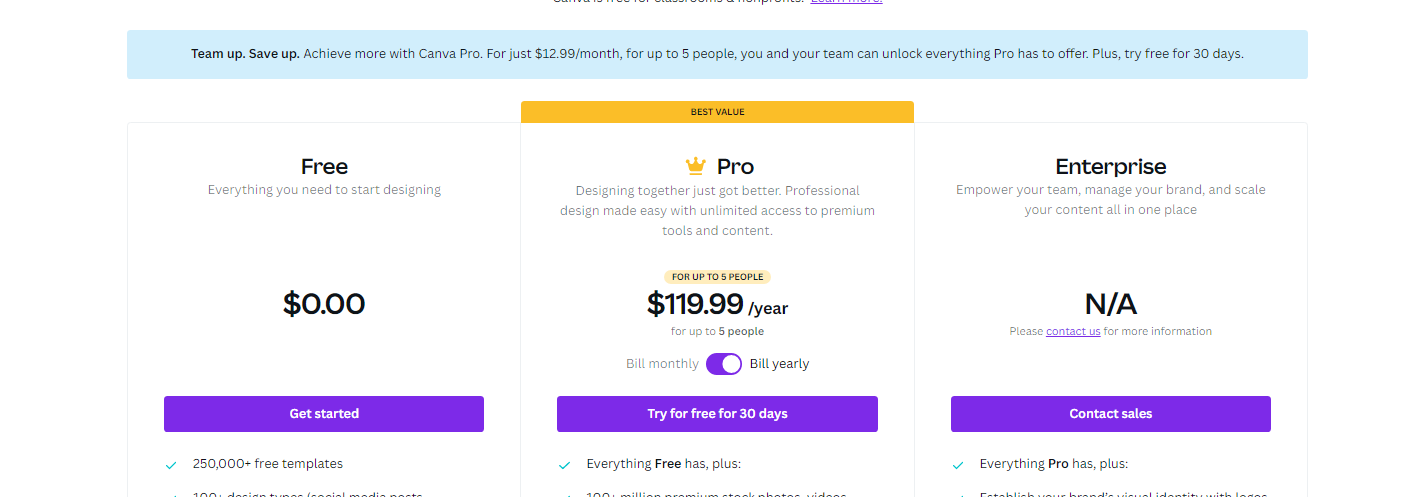
Canva has versatile plans. So whether you’re a beginner in graphics design, a small business owner, influencer, or you handle a large enterprise, they offer three plans at different price points so you’d only have to pay for the features that are useful for you.
Free
Canva offers a free version of the tool. It’s the perfect reason to get users onboard and check out the basic features of the software. In return for your effort in signing up for the service, you get the following features:
- Over a hundred design types (presentations, social media posts, marketing collaterals, letters)
- Over 250,000 free templates
- Hundreds of thousands of free stock photos, icons, and other graphics
- Collaboration with up to 5 people on your team
- Up to 5GB of cloud storage
Pro
If you’re ready to take it up a notch, Canva’s Pro plan is available on a monthly or annual basis. For a monthly fee of $12.95 or an annual fee of $119, you get these on top of the free features:
- Over 610,000 free and premium templates, with more being added daily
- Over 100 million premium stock images, videos, graphics, and audio
- Up to 100 Brand Kits, where you can save and easily apply your chosen brand logos, fonts, and colors of your organization or your clients.
- Background Remover to get rid of background images easily.
- Magic Resize to resize graphic designs infinitely
- Schedule post to 8 social media platforms
- Up to 100GB of cloud storage
Enterprise
If you’re handling multiple business accounts and many people on your team, this plan may be what’s suitable for you. Aside from all the Pro tools, you get these features:
- Control team access to premium elements and uploads
- Template Lock so you can control which part of the template other members of your team can edit
- Built-in workflows for seamless process on design approval
- Single-sign on (SSO)
- Unlimited storage
- 24/7 customer support
Canva User Reviews
Before you sign-up, check out other users’ experiences on Canva:
“My industry is the sales and media communication industry, and I give Canva five stars. We currently use Adobe creative suite to solve the majority of our design challenges, I would say. But through some previous experience, I had with Canva and a couple of my coworkers using Canva, we realized that the enterprise license of Canva offers a lot of really great solutions to some problems that we're encountering and then sort of future-proofing ourselves as we scale our business up.” - Drew B., Graphic Design Specialist
“On my part, for most of my professional career, I’ve been either a writer or editor and have quite a bit of experience with layouts and graphics, even if not producing them myself. Because of this, I quickly grew bored of running around in tiny circles with Canva.
Although it’s immensely easy to use, I found that for the type of output I’d require in print, it proved way too simplistic. On the other hand, it’s great for creating instant visuals, so long as you don’t mind that you’ll be sharing templates with probably thousands of other people.
I feel that this is something that would be valuable from a small business or personal standpoint, probably the former more than the latter.” - Timothy Shim, webhostingsecretrevealed.net
Alternatives to Canva
As great as Canva’s host of features are, it’s by no means the only excellent photo and video editor in the market. So whether you want to consider alternatives or you’re looking for other tools that complement Canva, here are other comparable editors:
Crello
Crello is relatively the newer tool in the block than Canva. It has more or less the same features as Canva but if you’re looking for advanced animation in your graphic design, Crello is the better option. Canva’s edge is on static graphic designs with its wealth of templates and integrations. And while Canva may have some animation functionality, it’s not as good as Crello’s. With its similar freemium pricing strategy and a Pro plan at $7.99/month, Crello’s a good addition to your tool kit.
PicMonkey
For all the similarities in their editors, PicMonkey and Canva have really different purposes. If you want an everyday photo editor to create DIY graphics, PicMonkey can be your default editor with its ability to add multiple effects and filters. You can even edit the same graphics with a collaborator simultaneously and it has more effects than Canva.
PicMonkey has three plans to choose from:
- Basic at $7.99/month or $72/year
- Pro at $12.99/month or $120/year
- Business at $23/month or $228/year
Easil
Easil is also a new player in the photo editing sphere. Most of its features are similar to Canva with few added functionalities like creating layers of elements in the design and adding drop shadow effects to text. The only downside is that you won’t be able to share and collaborate with others within Easil’s platform.
Like Canva, Easel offers a free basic plan. Its Plus plan is at $7.50/month, while its advanced package, Edge, is at $59/month
Pair Up Stunning Graphics with Great Writing
With all these intuitive and user-friendly tools, stunning graphics and professional videos are now a few clicks away. You just have to pair it up with great writing to craft top-notch content. On this front, Scripted.com can take care of your written content needs.
With carefully vetted writers across a wide range of expertise, it’s the perfect partner who can help develop and execute content marketing strategies for your business.