How Do I Write an Ebook?
Ebooks are a way for writers to share their knowledge and expertise with others. You can use them as a lead magnet to get potential customers into your funnel or as content that helps people in your industry. They can also serve in other ways. For example, to launch a start-up or new offer. Whatever your reason for writing it, creating your eBook can be really rewarding and will give you the chance to share your point of view with other people who need to hear it.
Nowadays, the journey to becoming a published author doesn't have to be a long one. You can write and publish an eBook within 30 days or less with the right tools and planning in place. However, writing is still an art that requires research, creativity, and ambition. These writer tips will help you craft your eBook with ease.
What Is an Ebook?
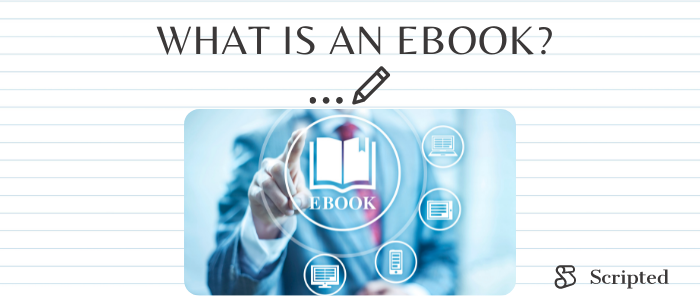
Ebooks are digital books, like PDFs or Word documents, that someone downloads from the internet. They can contain text, images, and links to other content, like video.
Below are writing tips that will help you create a product that you'll be thrilled to share with the world.
Define the Audience and Purpose
Before you start writing, define the audience and purpose for your project.
- Who is it for?
- What do you want to teach them?
- How will the eBook help them in their current situation or help them get the desired outcome?
- What is something that your audience goes through or wants help with? What are the frustrations, challenges, or problems they face?
- What is your big "why" for creating the book?
For example, if your eBook is about creating an effective budget, then the reason why you're writing it could be to inspire others by sharing your story about overcoming financial struggles.
One way to choose potential topics for your work is to think about questions that your audience asks you.
Make sure to choose topics that you are interested in and passionate about because there will be days where writing feels like hard work. Equally important, choose topics that other people are interested in. If there is other published content on the same topic, that's a good thing because it shows that people want to know about it.
Choose a Title or Hook for Your eBook
After you have defined your eBook's audience and purpose, start thinking about the title. The title is the most important part of your eBook because it will show up in search engines and people's social media feeds when they share or talk about your book online.
Think about what words or phrases would be relevant for someone searching in a bookstore or online store. What is the key takeaway that people will remember when they are reading? The title should contain these keywords. Great books have titles that are easy to spell, pronounce, and remember.
Outline Your Work
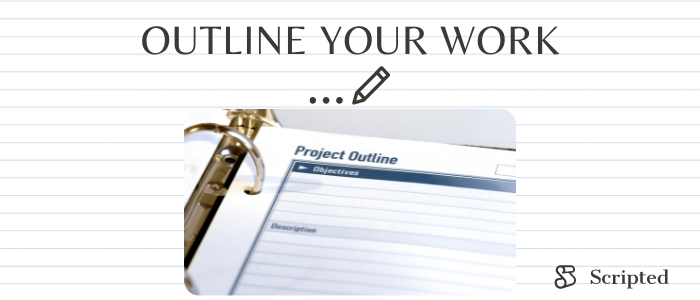
Outlining your book helps you stay on track. It acts as a guide for what you should include in each chapter and how your work will flow from one section to the next.
It also establishes what resources, such as images or links, are needed to help the reader understand and retain information. The outline is also useful when writing because you can keep it in sight and check how much progress you've made so far.
Depending on the topic, consider whether your eBook will require a table of contents with links to each chapter or sections within chapters.
Make sure you have a good writing plan so that you know what you need to create and how it will flow from one section to the next.
Start with your introduction or first chapter, then write while always thinking about where you're going next, and keep filling in gaps.
Research and Gather Content for Your eBook
To write a great eBook, you need to have lots of information.
Get out of your head and start making a list of everything you know about the topic:
- Include topics
- words
- concepts
- skills
- facts
- anecdotes
- resources
Don't worry about how good it all is yet; just get as much information down as possible.
You can find information in:
- other books
- on the internet
- in journals
- magazine articles
- from friends and colleagues
- by experimenting
- doing interviews
- use your personal experiences or memories to create content.
Create a Writing Schedule
Time management is a huge part of being a successful writer.
You may have heard that there are two types of writers — those who like to write in the morning and those who love writing at night. The truth is that neither time works better than the other, as long as you get your writing done regularly. What's important is committing to a schedule and sticking to it.
If you're working full time, try writing during your lunch break or over the weekend. If you have a few hours on a Friday night, block out the time and treat it like you would an appointment with someone else.
Tell a Powerful Story
The magic ingredient to making your book memorable is telling a story. People love stories because they can connect to what you're talking about and it's a lot more interesting than just reading facts.
You want to be the best writer that you can be, so ask yourself before starting: What is the story I want to tell?
It could be a personal story where you share what challenges or struggles you overcame on your journey, or it could be a story about an imagined character who conquered the problem you are laying out.
Either way, your eBook needs to be structured like a story, with a beginning, middle, and end. Write it in such a way that people will want to keep reading from start to finish.
Good stories need details. What were the physical surroundings like? Who was there to witness it? Add personal details or first-person narrative so your work becomes interesting and relatable.
Keep It Simple and Easy to Read
Writing should be simple and to the point, so it's easy for people to read on any screen. To help with this, follow these writer tips:
- Use subheadings, short paragraphs, and clear sentence structure.
- Break up content with images and sidebars.
- Keep your work short and to the point — between 5,000 and 15,000 words is the ideal length for an eBook.
- Write in a conversational tone, i.e., a style that's similar to how you talk with friends, colleagues, and family members.
Write a Rough Draft

Most people find writing harder than editing. This is because when you're writing, it's hard to get words onto the page. Even experienced writers tend to censor themselves with self-doubt and worry about how their writing will be received.
The best writing happens when you write in a stream-of-consciousness style, where the words just flow onto the page without stopping.
The important thing is to not stop and dwell on what you've already written. It's hard to get in a good flow when you're focused on editing, but that's what your revised draft is for. For now, just keep writing until you are finished with your first draft.
When you're done with your rough draft, seek feedback from friends or colleagues. Then set it aside for a few days before coming back to edit.
Resources and Tools for Writers
The following tools will help you write and publish your eBook.
Google Docs
With Google Docs, you'll never have to worry about losing your work because it automatically saves your progress and stores it securely in the cloud. It's also easy to share your work and collaborate with others.
Grammarly

Grammarly is a free grammar-checking tool powered by artificial intelligence. All you have to do is copy and paste your text into the app or install Grammarly on your browser. Grammarly will analyze your writing and give you suggestions on how to fix any grammatical, spelling, and formatting errors. This makes the editing process quick, easy, and, best of all, free.
Scrivener

Worried about your writing project getting out of hand? Scrivener is a publishing industry app that helps authors organize notes, concepts, research, and documents for easy access and reference. Authors across the writing world use Scrivener for both short- and long-form writing.
Hemingway

The Hemingway Editor is an app that identifies writing issues such as wordy sentences and passive voice. This free tool helps writers to be clear and concise.
Otter.ai

Did you know you don't need to write to be an author? Otter.ai is a transcription app that will take care of the writing for you. All you have to do is record yourself speaking and the app will turn that into text that can be edited later. Since Otter.ai can be used on your phone or another mobile device, you can even record your work even when you're not at home, for example, on your daily walk.
Scripted

When you're running a business, you can't always find the time or energy to write, which means it could take forever to finish your eBook.
Hire a Scripted writer for your project. With Scripted, you'll get access to an experienced author who will take care of all the heavy lifting for you. Our team of professional writers are experts in their fields and will work with you every step of the way from start to finish on any project — no matter how big or small — so that you can focus on what matters most in your business and life.
Visit our eBook information page to start browsing our selection of writers.