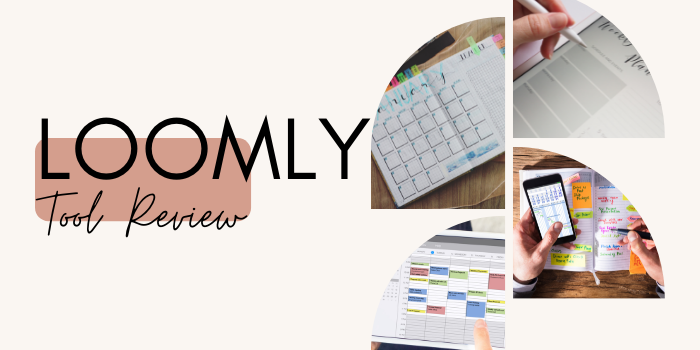
Loomly Tool Review | Scripted
Building a successful, engaging brand may seem like it takes more work than ever. When every single one of your customers has the potential to be an influencer through their social media posts and word-of-mouth marketing, it's paramount that your brand takes control of its online image and gets a step ahead on interactions. But that's easier said than done.
Managing your brand's image across social channels is tough and time-consuming. Logging in and out of various platforms and tracking when you'll post to where with pen and paper or the company's calendar simply won't cut it. Things get forgotten, delayed, and overlooked, all while you lose sight of how your content is actually performing. Loomly markets itself as the solution to those problems, so let's see how it stacks up.
What to Consider When Looking for a Scheduling Solution
As social media continues to play an increasingly important role in a business's growth and reputation, countless tools have popped up to help brands manage it. Buffer was one of the earliest names in the game, but solutions like Loomly soon came along in an attempt to offer something more and better.
When looking for a social media scheduling tool, here are the core functions you should seek out:
- Since the core function is scheduling your content across platforms, look for a website with lots of integrations. Ideally, you should be able to schedule for at least 90% of the social media networks you use. Bonus if the platform is supporting "up-and-coming" platforms, such as TikTok.
- Aside from integrating with your favorite social media platforms in at least a basic form, the ideal solution will allow you to take advantage of each platform's marketing tools — like hashtags, location tags, and mentions. Check if these things are supported because, if they aren't, you may end up manually editing your posts to include them.
- Beyond social scheduling, the best tools will offer you a little something extra to help you with your goal of driving growth through social media. Loomly, for example, inspiration and best practices to help you plan your posts along with a library where you can store all of your assets for re-use across platforms and at a later date.
Features and Benefits of Loomly
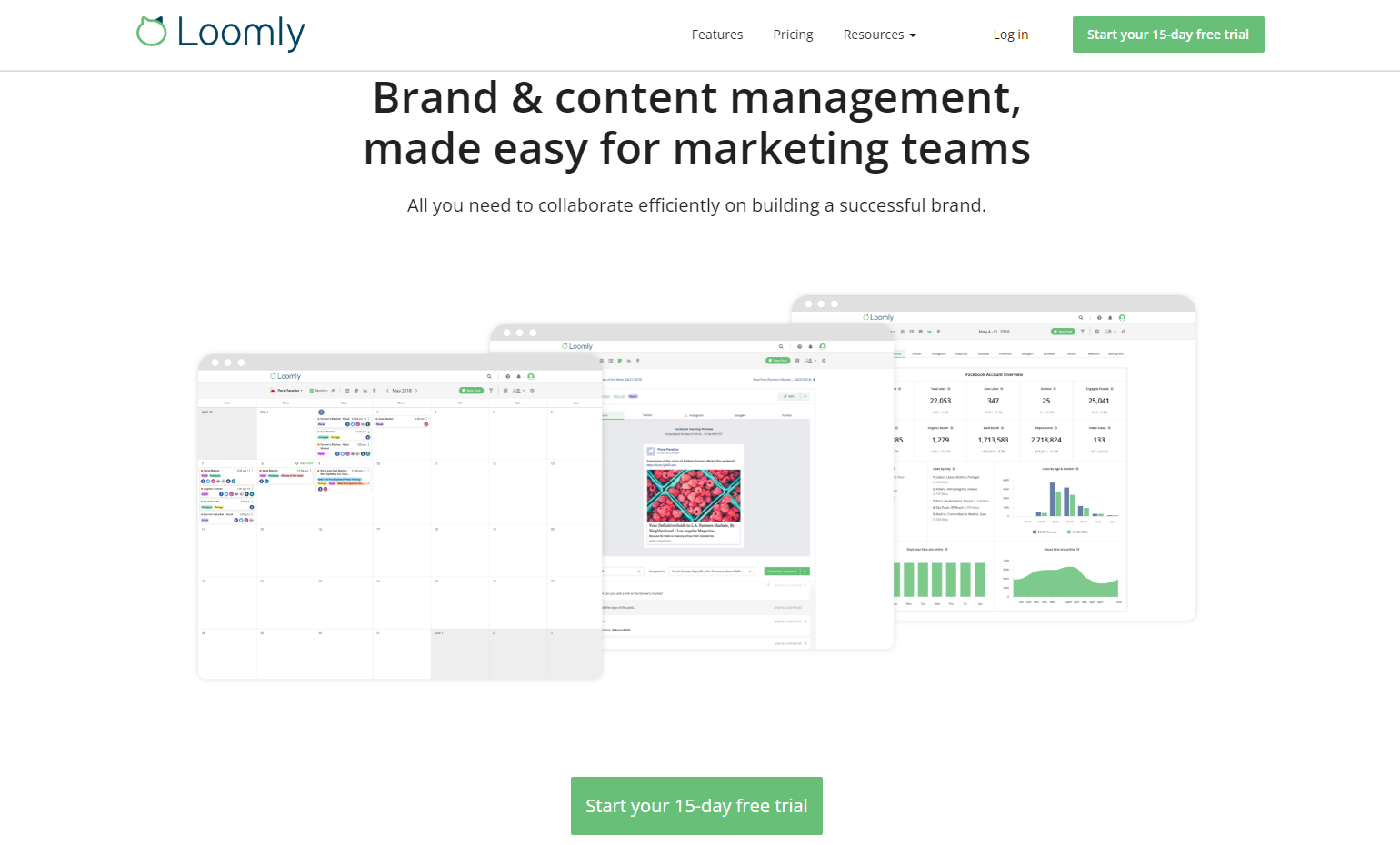
Loomly markets itself as a brand and content management tool, suggesting it has way more than basic social media scheduling tools. In reality, Loomly offers a post-scheduling calendar, complete with notifications to remind your team members, RSS, and Twitter feed to help inspire you, along with events and holidays. Plus, to simplify scheduling, Loomly has a built-in library where you can store all of your assets.
In addition to social media best practices, Loomly displays post ideas, optimization tips, subjects, labels, and a preview feature to help you plan your content. Plus, you can create mockups of posts and ads and send them off to your team for review, so getting from idea to live post is easier than ever.
Pros of Loomly
- Loomly allows you to publish automatically to Facebook, Twitter, Instagram, Pinterest, LinkedIn, and Google My Business. With reminders and the mobile app, you can set reminders for other platforms — like Snapchat and TikTok.
- Post targeting with the help of Facebook Preferred Audience & Audience Restrictions for organic posts and post sponsoring help you reach your ideal audience every time.
- Use the interactions tool to respond to comments and reactions from your followers on Facebook, Twitter, Instagram, and LinkedIn.
Cons of Loomly
- While the Base plan is quite affordable, with limits on ad budgets, social accounts, and users, you may find yourself quickly stepping up to the next plan for one reason or another.
- Some users report issues with connecting their accounts, claiming that they disconnect every so often, causing a nuisance and consuming time.
- Loomly may not connect with all of the social media platforms you use, and they do make changes to integrations as platforms alter their rules. For instance, they once did away with Instagram publishing, throwing users for a loop.
Loomly Plans & Pricing
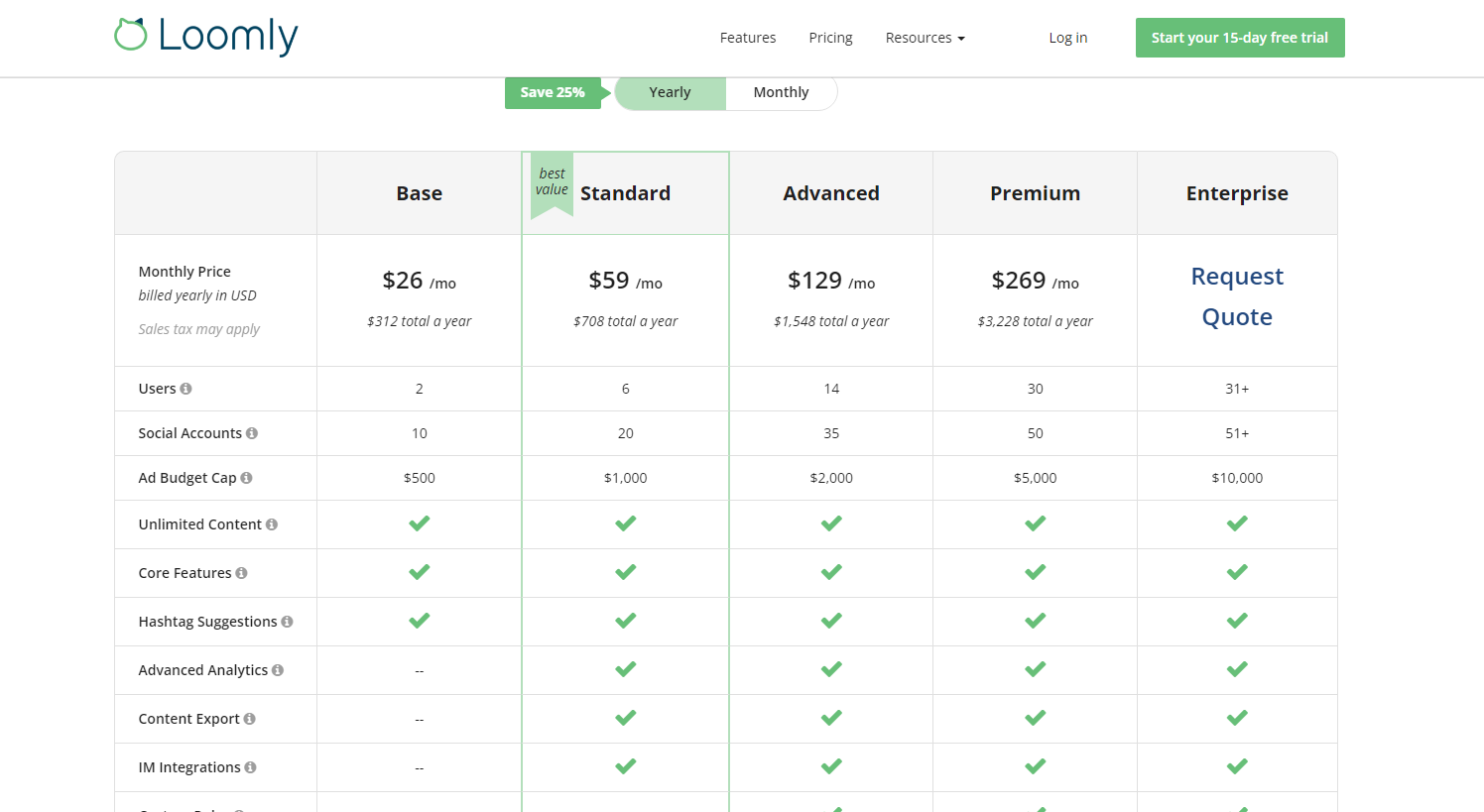
Loomly offers a 15-day free trial. All of the prices listed below are per month if you pay annually, saving you 34% off the normal Loomly pricing.
- Base: Loomly's base plan is $25/month and includes two users, 10 accounts, and a $500 ad budget cap.
- Standard: Loomly's standard plan is $57/month and includes six users, 20 accounts, and a $1,000 ad budget cap.
- Advanced: Loomly's advanced plan is $119/month and includes 16 users, 35 accounts, and a $2,000 ad budget cap.
- Premium: Loomly's premium plan is $249/month and includes 26 users, 50 accounts, and a $5,000 ad budget cap.
- Enterprise: Loomly's enterprise plan is custom priced and includes 27+ users, 51+ accounts, and a $10,000 ad budget cap.
Customer Reviews
"I have used almost every social media management platform under the sun and Loomly is by far my favorite. When I started my own business, I had a robust checklist of items I needed in a platform and Loomly fit 95% of those. Some of the features I love include A schedule of upcoming holidays and important dates Advanced scheduling features like being able to move a post from one date to the next using the calendar feature. You would be surprised how many platforms don't offer this. The ability to schedule one post across platforms and edit the content for that specific platform. This to me is HUGE." - Whitney D.
"Loomly helps us create and organize all of our social media posts in one easy-to-use calendar. We can schedule Twitter, Facebook, Instagram, Linkedin, and more social posts on the Loomly platform. I love the calendar view, where we can easily see all of our social posts in one section. I also love that you can drag-and-drop to quickly reschedule certain posts, making it very easy to organize and plan out our calendar. The auto-posting function is great, where it automatically publishes your posts to your social media accounts, saving us time and energy. There is also a great approval system where you can submit your posts for review if another coworker in your company would like to review them first before publishing." - Sarah O.
Power Your Content Marketing
If you're looking for a handy platform where you can plan and schedule your social media posts, and even interact with your followers on the biggest platforms, Loomly may just be the right fit for you. What's important is that you look through the feature set, compare pricing, and ensure that Loomly's integrations work well with the platforms and post types you publish most often.
With a tool like Loomly, your brand can begin publishing on social media more consistently while spending less time doing it — and Loomly can help reveal valuable trends and content ideas along the way, further boosting engagement in your brand's social presence. Of course, content marketing doesn't start or end there. If you're looking to get a handle on your brand's digital presence, it's time to look more closely at your content strategy.
Scripted
Aside from posting on social media, your brand should be looking at the bigger picture, posting regularly on your blog, and connecting themes across all of your channels -- be it your own website or your Facebook page. With the help of Scripted, content is made easy.
With Scripted, you can stop fussing over content ideas and keyword research because your content will be put into the hands of a professional content strategist. The result? You save time and frustration, all while your content is planned, prepped, and perfected with the help of Scripted's amazing writers. All you have to do is publish your content and watch the results roll in.
Are you interested in learning more about Scripted's Services?